Content
If you want a direct answer: a truly silent fan operates below 25 dB(A) at its lowest speed setting, uses fluid dynamic bearings (FDB) or magnetic levitation bearings, and has optimized blade geometry to minimize turbulence. These three factors — noise level, bearing type, and blade design — are the most critical criteria when choosing a silent fan, and everything else is secondary.
Whether you're cooling a bedroom PC, a home theater setup, or a server rack, understanding these fundamentals will help you make a confident purchase decision. This guide breaks down everything you need to know — from decibel thresholds to airflow efficiency — so you never have to guess again.
Fan noise is measured in decibels (dB or dB(A)), where the "A" weighting reflects how human ears perceive sound. The difference between a quiet fan and an annoying one often comes down to just a few decibels:
Beyond raw decibel values, the frequency profile of the noise matters. High-pitched whining is more irritating than low-frequency hum, even at the same dB level. Fans with poor bearing quality often emit a high-frequency buzz that makes them feel louder than their specs suggest. Always look for user reviews that describe the noise quality, not just the number on the spec sheet.
It's also worth noting that fan noise increases dramatically with speed. A fan running at 1,200 RPM might measure 22 dB(A), but the same fan at 2,000 RPM could jump to 35 dB(A). This nonlinear relationship means PWM (Pulse Width Modulation) speed control is essential for maintaining silence under varying thermal loads.
The bearing is the heart of any fan. It determines not only initial noise levels but also how quietly the fan operates after hundreds or thousands of hours of use. Here's how common bearing types compare:
| Bearing Type | Noise Level | Lifespan (MTBF) | Cost | Best For |
|---|---|---|---|---|
| Sleeve Bearing | Low (new), High (aged) | ~15,000 hrs | Low | Budget builds, horizontal mount |
| Ball Bearing | Medium (ticking noise) | ~50,000 hrs | Medium | Industrial / server use |
| Fluid Dynamic Bearing (FDB) | Very Low | ~50,000+ hrs | Medium-High | Silent PC, home theater |
| Magnetic Levitation (Maglev) | Extremely Low | ~100,000+ hrs | High | Premium silent builds |
| Rifle Bearing | Low | ~30,000 hrs | Low-Medium | Mid-range quiet builds |
Fluid Dynamic Bearings (FDB) and Magnetic Levitation bearings are the gold standard for silent operation. FDB fans use a thin film of oil to eliminate metal-on-metal contact, while maglev fans eliminate the bearing entirely by suspending the rotor magnetically. Both result in near-silent operation that remains consistent over years of use.
Avoid sleeve bearings for long-term silent builds. While they start quiet, they develop audible rattling and grinding sounds within 2–3 years, especially when mounted vertically.
One of the most overlooked rules in fan selection: a larger fan moving the same volume of air will always spin slower — and therefore quieter — than a smaller fan. This is basic physics and has major practical implications.
For example, to move 50 CFM (cubic feet per minute) of air:
This is why silent PC builders favor 140mm fans wherever possible, and why 200mm+ fans are used in cases with sufficient real estate. If your chassis supports 140mm fans, don't settle for 120mm just because it's more common — the noise difference at load is substantial.
The exception: high-static-pressure scenarios like dense radiators or heatsinks, where smaller fans with higher RPM headroom may outperform large low-speed fans in actual cooling effectiveness.
Silent fans are not one-size-fits-all. The two main performance categories serve very different roles:
These fans have wide, angled blades designed to move large volumes of air efficiently with minimal resistance. They excel as case intake/exhaust fans where air moves freely. At low RPM, they can move impressive CFM values — some 140mm airflow fans deliver over 80 CFM at just 1,000 RPM.
Use airflow fans for: case ventilation, open-air rack cooling, room circulation.
These have narrower, more numerous blades designed to push air through high-resistance obstacles. They are essential for radiators, heatsinks, and dense filter meshes. Without adequate static pressure, a fan will simply stall against the restriction and move almost no air, no matter how fast it spins.
Use static pressure fans for: CPU cooler heatsinks, AIO liquid cooling radiators, any fan mounting with a mesh or filter directly in front.
Mismatching fan type to application is one of the most common mistakes that leads users to crank up RPMs — and noise — unnecessarily. Matching the right fan type to the right location can reduce operating speed by 20–30%, delivering measurably quieter results without sacrificing thermal performance.
How a fan's speed is controlled has a direct impact on noise behavior, especially under dynamic workloads.
DC fans reduce speed by lowering the voltage supplied to the motor. This method is simple but imprecise. Many DC fans have a minimum operational voltage — below which they stall entirely — meaning the speed range available for silent operation is limited. Some DC fans also emit an audible buzzing at certain intermediate voltages.
PWM fans use a dedicated 4th wire that sends rapid on/off pulses to control motor speed, while the fan always runs at full voltage. This approach offers several advantages for silent use:
For silent builds, always prefer PWM fans paired with a motherboard or controller that supports zero-RPM mode. During light workloads like browsing or video playback, your system can run completely fanless — and you'll never know those fans are even there.
Beyond bearings and size, the physical design of the blades and frame plays a significant role in noise generation. Engineers have developed several techniques to reduce turbulence and vibration:
Anti-vibration mounting pads are particularly worth mentioning. In many builds, the dominant noise source isn't the fan itself but the vibration it transmits to a metal chassis. A fan producing 22 dB(A) of aerodynamic noise can generate 30+ dB(A) of case resonance if hard-mounted to thin steel. Always use rubber mounting screws or silicone anti-vibration pads, especially for intake fans that mount directly to case panels.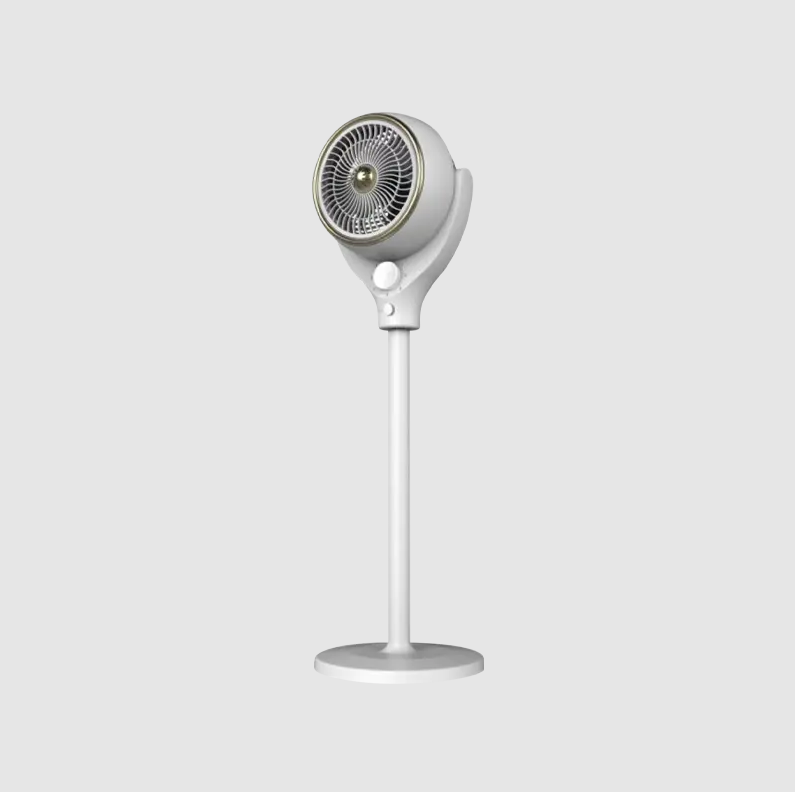
Different environments have different tolerance levels for noise and different priorities. Here's a practical breakdown:
Target: below 20 dB(A) at idle. Use 140mm FDB or maglev fans with zero-RPM capability. Pair with a fanless PSU and a low-TDP CPU that doesn't require aggressive cooling. A well-ventilated case with two 140mm intake fans can often keep a mid-range system cool with fans spinning below 600 RPM — completely inaudible at 1 meter.
Target: below 25 dB(A) at sustained load (streaming 4K content). Prioritize slim 120mm or 140mm PWM fans with a gentle fan curve. HTPCs often sit in living rooms where any mechanical noise stands out against quiet audio. Consider passive cooling for the CPU if the processor TDP is below 65W.
Target: below 30–35 dB(A) at gaming load. Here, silence competes with thermal performance. Use high-quality 120mm or 140mm fans rated for both airflow and static pressure. A 240mm or 280mm AIO cooler with quality 140mm PWM fans will outperform an air cooler acoustically under heavy gaming loads. Aim for a fan curve that keeps speeds below 1,200 RPM whenever possible.
Target: below 30 dB(A) for home office use. Hard drives already add acoustic noise, so fan noise should stay below that floor. Use 120mm FDB fans capable of running at 600–800 RPM continuously without bearing degradation. Longevity matters more here — prioritize fans rated for 50,000+ hours MTBF.
For standalone room fans, blade span and motor efficiency determine silence more than bearing type. A 40–50cm DC fan with a high-quality induction motor will outperform any small high-speed fan for quiet, efficient air movement. Look for fans specifically rated with noise levels — many consumer room fans list only wattage, which is a poor proxy for actual acoustic output.
When reviewing spec sheets, not all listed numbers are equally useful for evaluating silence. Here's what to prioritize and what to treat with skepticism:
| Specification | What to Look For | Watch Out For |
|---|---|---|
| Noise Rating (dB/A) | Below 25 dB(A) at max speed | Ratings measured at 1m vary; some brands measure closer |
| RPM Range | Wide range; minimum below 400 RPM (PWM) | Only maximum RPM listed — useless for silent builds |
| Bearing Type | FDB, Maglev, or Rifle | "Hydraulic" is often just rebranded sleeve — ask for clarification |
| MTBF (Hours) | 40,000+ hrs for long-term reliability | MTBF is statistical; individual fans vary widely |
| Airflow (CFM) | High CFM at low RPM indicates efficient blade design | CFM at max RPM only; meaningless without RPM context |
| Static Pressure (mmH2O) | Relevant only for radiator/heatsink use | High SP fans used as case fans waste energy and create more noise |
One practical note: always cross-reference manufacturer specs with independent reviews from hardware publications that measure fans using standardized setups. Manufacturer noise ratings are often measured in anechoic chambers under ideal conditions — real-world installed noise can be 3–5 dB(A) higher due to system turbulence and vibration.
Even the best silent fan can become noisy if installed incorrectly. These installation practices make a measurable difference:
Applying all six of these practices to an existing build — even with mediocre fans — often reduces perceived noise by more than upgrading to premium silent fans without addressing these installation issues.
Use this checklist to evaluate any fan before purchase:
Choosing a silent fan is ultimately about understanding trade-offs: size vs. mounting constraints, maximum airflow vs. noise floor, cost vs. bearing longevity. But with the criteria above, you have everything needed to cut through marketing language and make a decision based on what actually matters. The quietest build is almost never the one with the most expensive fans — it's the one where every decision, from bearing type to cable routing, has been made with silence in mind.


No.1015 Guanfu Road, Fuhai Town, Cixi City,Zhejiang,China

+86 134-8601-6220



Copyright ? Cixi Bisheng Electrical Appliance Co., Ltd. All Rights Reserved.
Wholesale Portable Air Cooler Manufacturer




 English
 中文简体
中文简体 Español